 Holla Chat
Open Holla Chat to use matching, or read the guide below before your first call.
Start MatchingAdults 18+ only. Paid features use coins.
What a one-to-one conversation offers
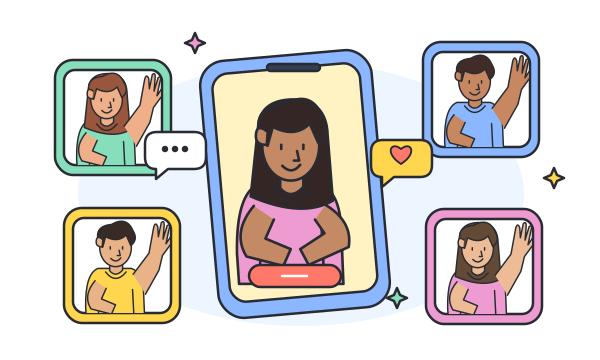
A 1v1 video chat gives two people space to talk without taking turns with a larger group. You can hear an answer, notice an expression and respond without trying to find a gap in a group discussion. That smaller setting can make an ordinary topic easier to explore, whether you are talking about a song, a weekend plan or something interesting you noticed today.
Holla Chat brings matching and host profiles into a browser experience. You can begin with matching or look through profiles first. Browsing lets you read an introduction before calling; matching takes you straight to the format choices. Pick whichever route fits the way you want to meet someone.
Prepare in three small steps
Find a comfortable place
Choose a spot where you can speak at a normal volume and hear a reply. Put a light in front of you instead of directly behind your head. Set your phone on a stable surface or place your computer at a comfortable height. You should be able to look at the screen without holding an awkward position throughout the conversation.
Check your camera and sound
Make sure the camera lens is clear and your microphone is available. Headphones can help if the other person hears their own voice coming back through your speakers. When the browser requests device access, read which devices it wants to use. If you have several cameras or microphones, check the selected input rather than assuming the default is correct.
Review the next screen
Select Start Matching and follow the session prompts in the app. Before connecting, check the call options, the displayed rate and your balance. A trial only applies when the app actually offers one to your session. If an unfamiliar prompt appears, take a moment to understand it before continuing.
Start with a question that is easy to answer
You do not need a polished introduction for a one-on-one video call. A brief greeting and a clear, everyday question give the other person room to respond. Try asking what music they have been listening to, how their day is going or what kind of films they enjoy. Keep your first question light enough that answering does not require a personal story.
Listen for a detail you can follow up on. If someone mentions cooking, ask about a dish they like making instead of immediately changing the subject. Sharing a little of your own experience helps the exchange feel balanced. Leave a pause after a question, especially when the connection introduces a delay or you are speaking different first languages.
If the conversation pauses, check whether the other person heard you or introduce another topic. You might return to something they mentioned earlier, or share your own answer to the last question. If neither of you wants to continue, a friendly goodbye is enough.
Understand the rate before extending a call
Paid features on Holla Chat use coins. A coin package tells you what you purchase, while the rate shown for a call explains how that balance applies to the interaction you select. For example, a higher rate uses the same balance more quickly. Check the selected rate and any trial allowance on the call screen to understand what applies to that conversation.
If you have a spending limit, decide it before the conversation begins. Check your balance rather than relying on a previous visit or a promotional message. Our pricing guide explains the distinction between coins, call rates and membership offers; the wallet and checkout provide the offer currently available to you. Take a break before purchasing more if you need time to decide.
When video or audio needs attention
If the camera does not appear, check the browser's permission for this site and whether another application is already using the device. If you previously denied access, the browser's site settings may need to be changed before you retry. On a computer, also check a physical camera shutter or an external webcam connection.
When the picture freezes or speech breaks up, consider the connection as well as the camera. Move closer to your network access point if practical, and pause large downloads on the same connection. Once the picture and sound are stable, return to the conversation. If a problem continues, note the approximate time, device and visible error so support has something specific to investigate.
A private setting still needs personal boundaries
One-to-one describes the conversation format; it does not establish that nobody can capture a screen or hear sound from another device. Look behind you for mail, location clues or other people who have not agreed to appear. Share only what you are comfortable discussing with someone you have just met, and keep passwords, payment information and account codes out of the conversation.
You can end an interaction when you feel uncomfortable. Respect the other person's decision to leave as well, and use report or block controls in the relevant chat or profile where available. Read the safety guide for more practical precautions. Holla Chat is for adults aged 18 and over.
Questions about 1v1 video chat
Is 1v1 video chat the same as a group room?
A one-to-one call is centered on two participants. A group room involves multiple participants and a different conversation dynamic. On this page, the setup and conversation tips are written for an individual call.
Can I choose someone instead of using matching?
The app includes host profiles as well as matching. Explore the options shown in your session and read the profile details before taking an action. The guide to video chat with women explains what to consider when browsing those profiles.
Should I keep retrying if nobody connects?
First read the message shown in the app. A device issue, an unavailable person and a balance prompt need different responses. Repeatedly entering the same flow without checking the reason may leave the underlying issue unresolved.
Make time for one conversation
Check your setup, open the matching experience and follow the options shown to you.
Start Matching